Step#1: Log in to your account

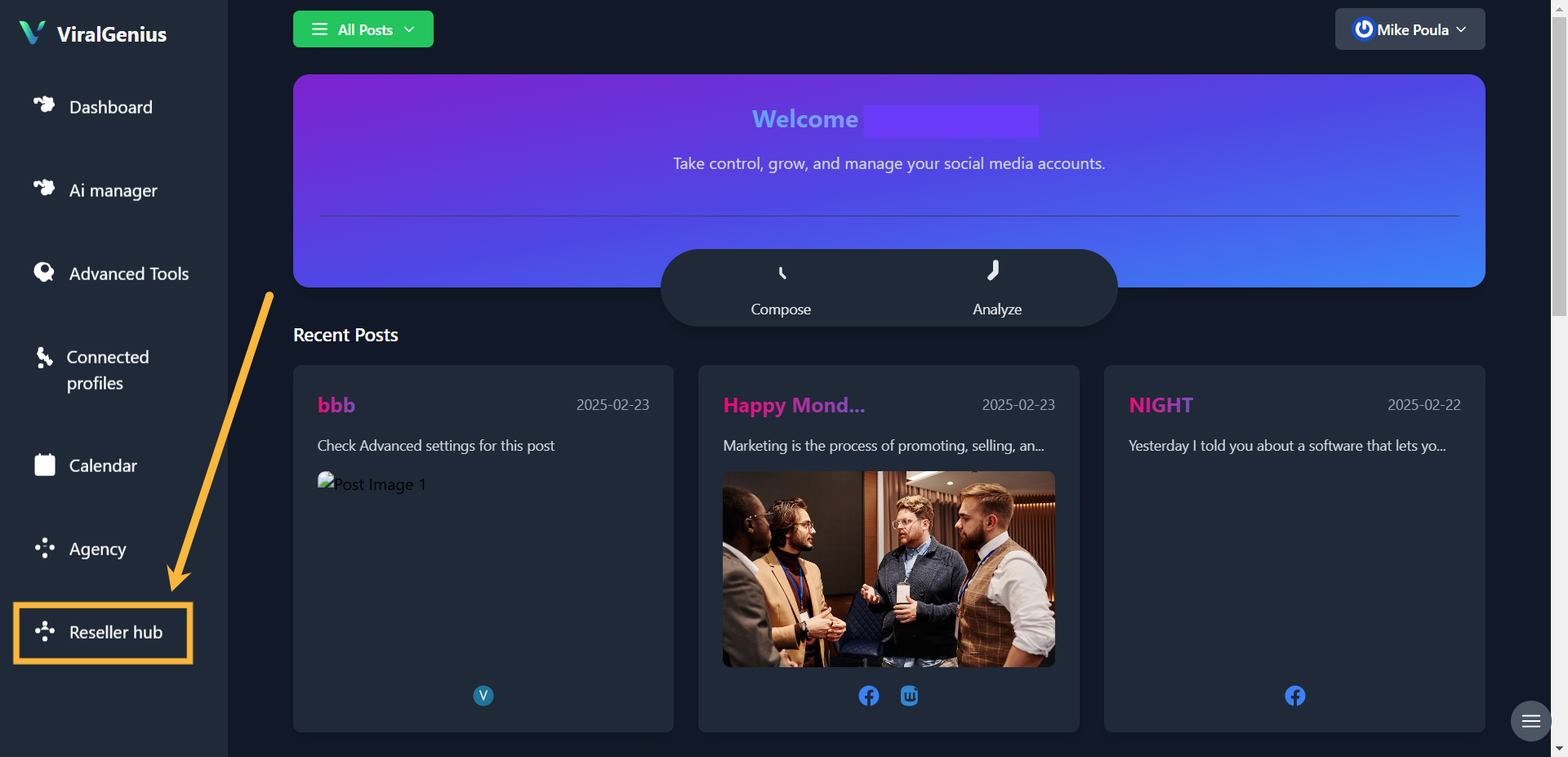
Step #2: Click on Reseller
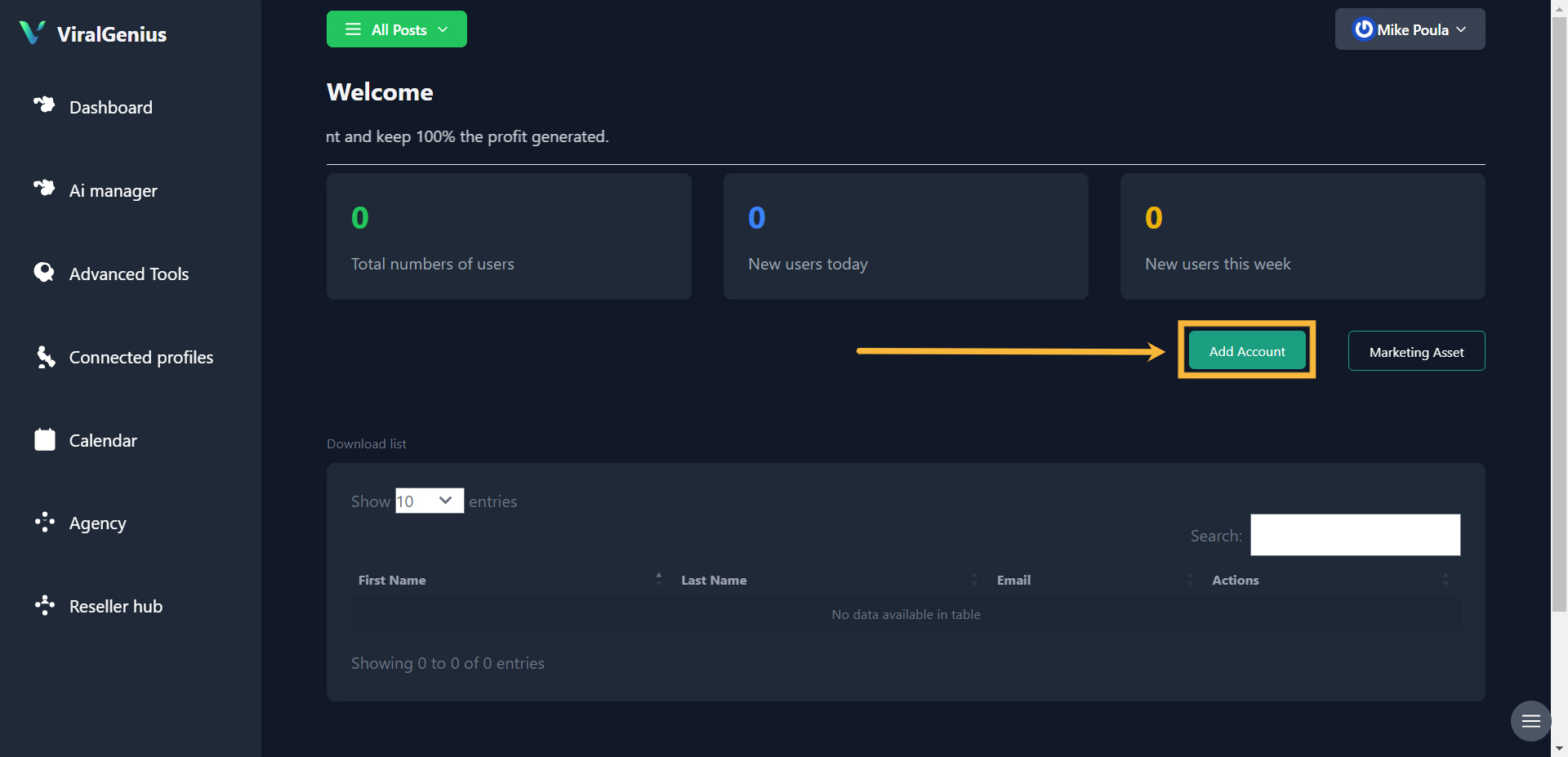
Step #2: Click on Add Account
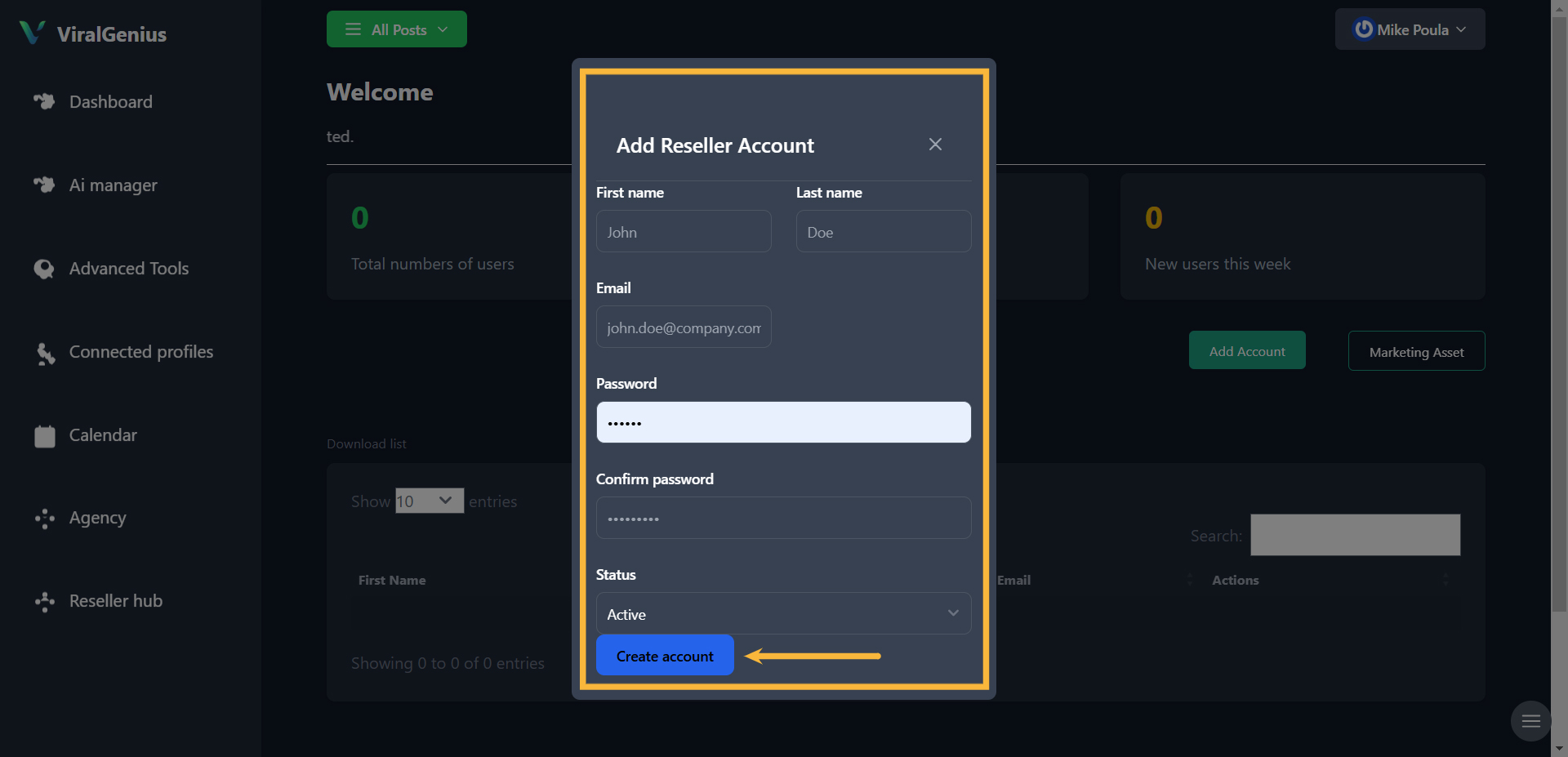
Step #2: Enter your reseller account details and password, then click on Create
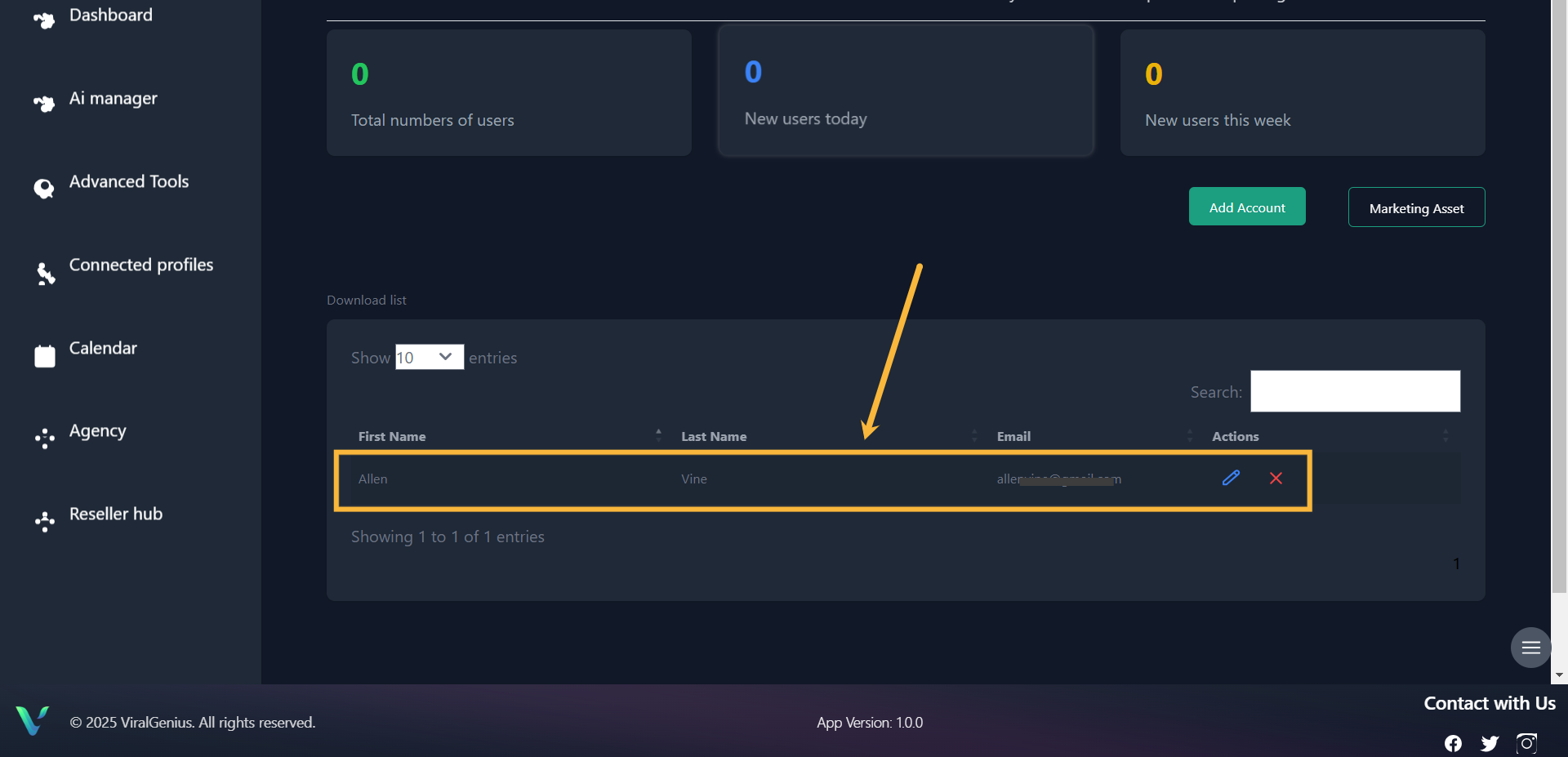
And here you have your reseller account successfully created
Step#1: Log in to your account
Step #2: Click on Reseller
Step #2: Click on Add Account
Step #2: Enter your reseller account details and password, then click on Create
And here you have your reseller account successfully created