In this tutorial, I’ll show you how to add a Team Member to a workspace
Step#1: Log in to your account

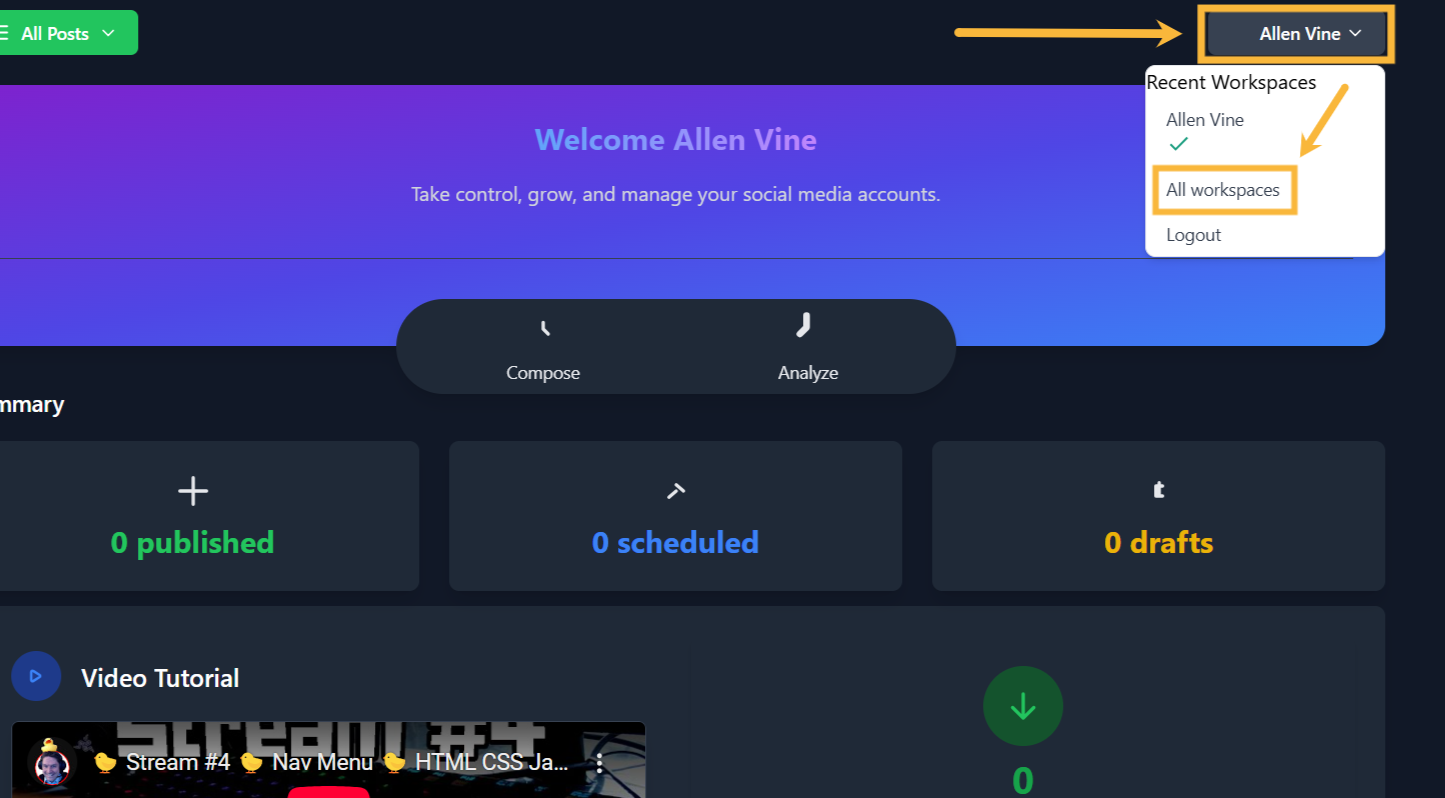
Step #2: Locate your profile and click on All Workspace
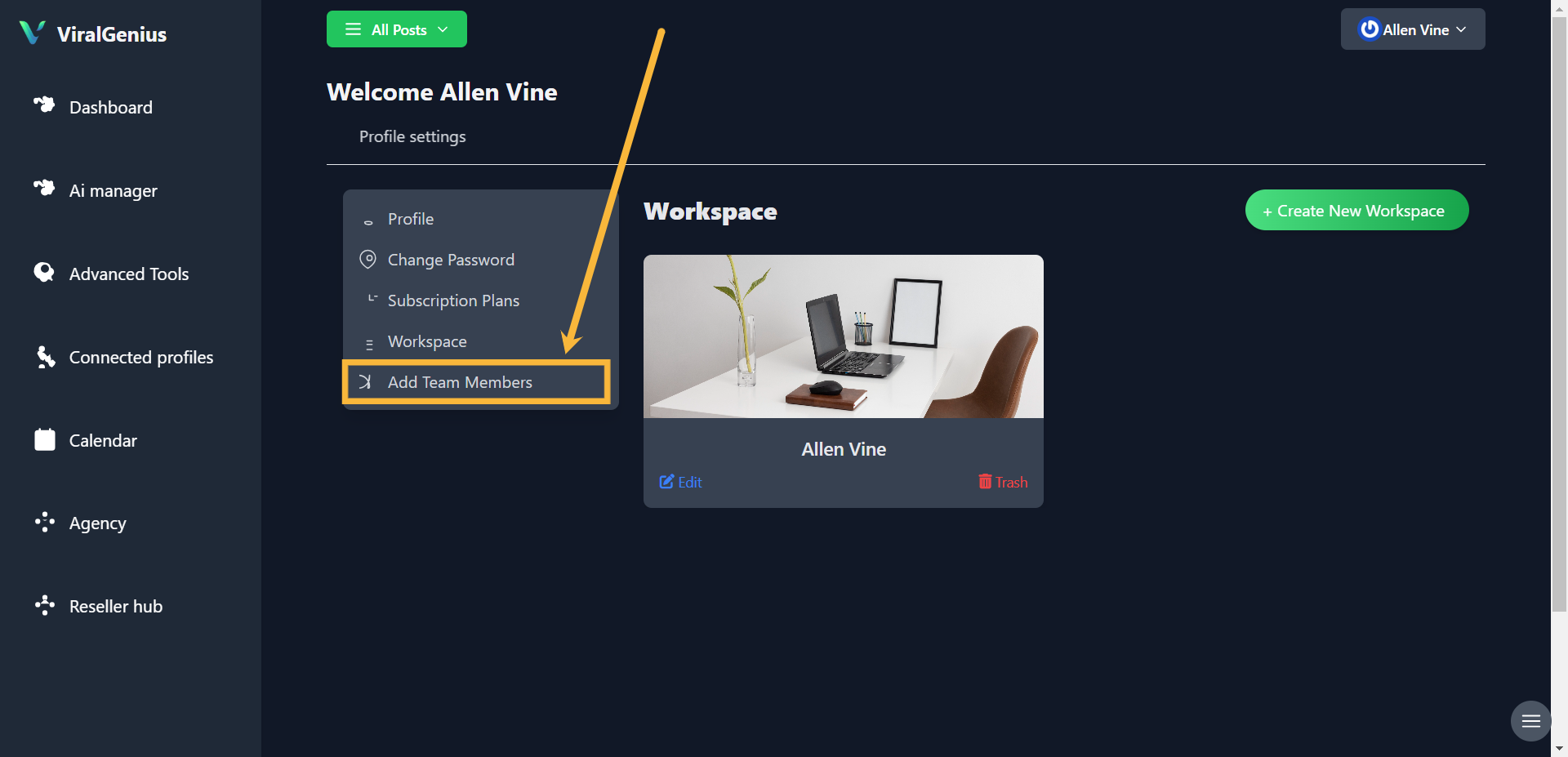
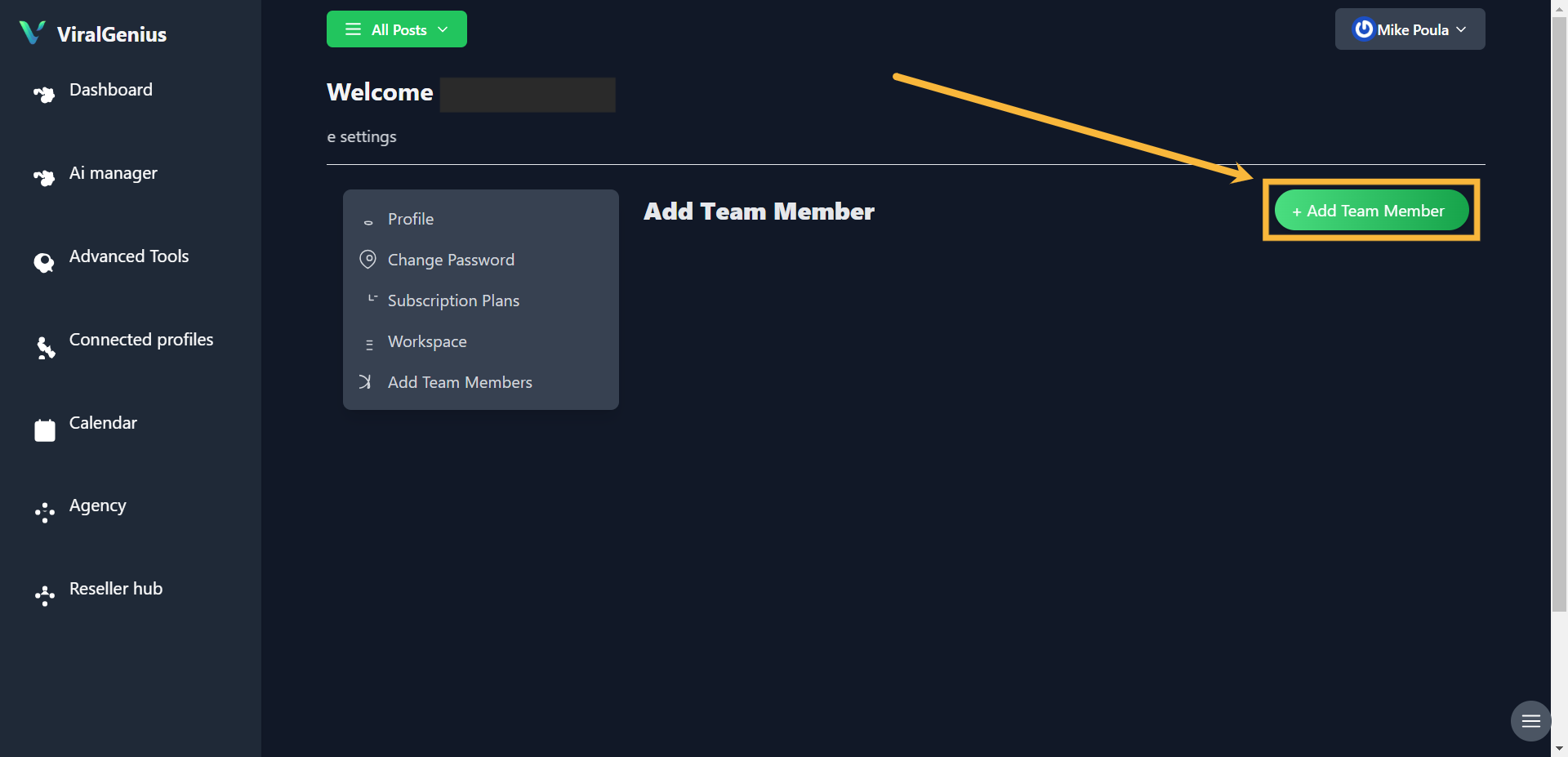
Step #2: Click on Add Team Members
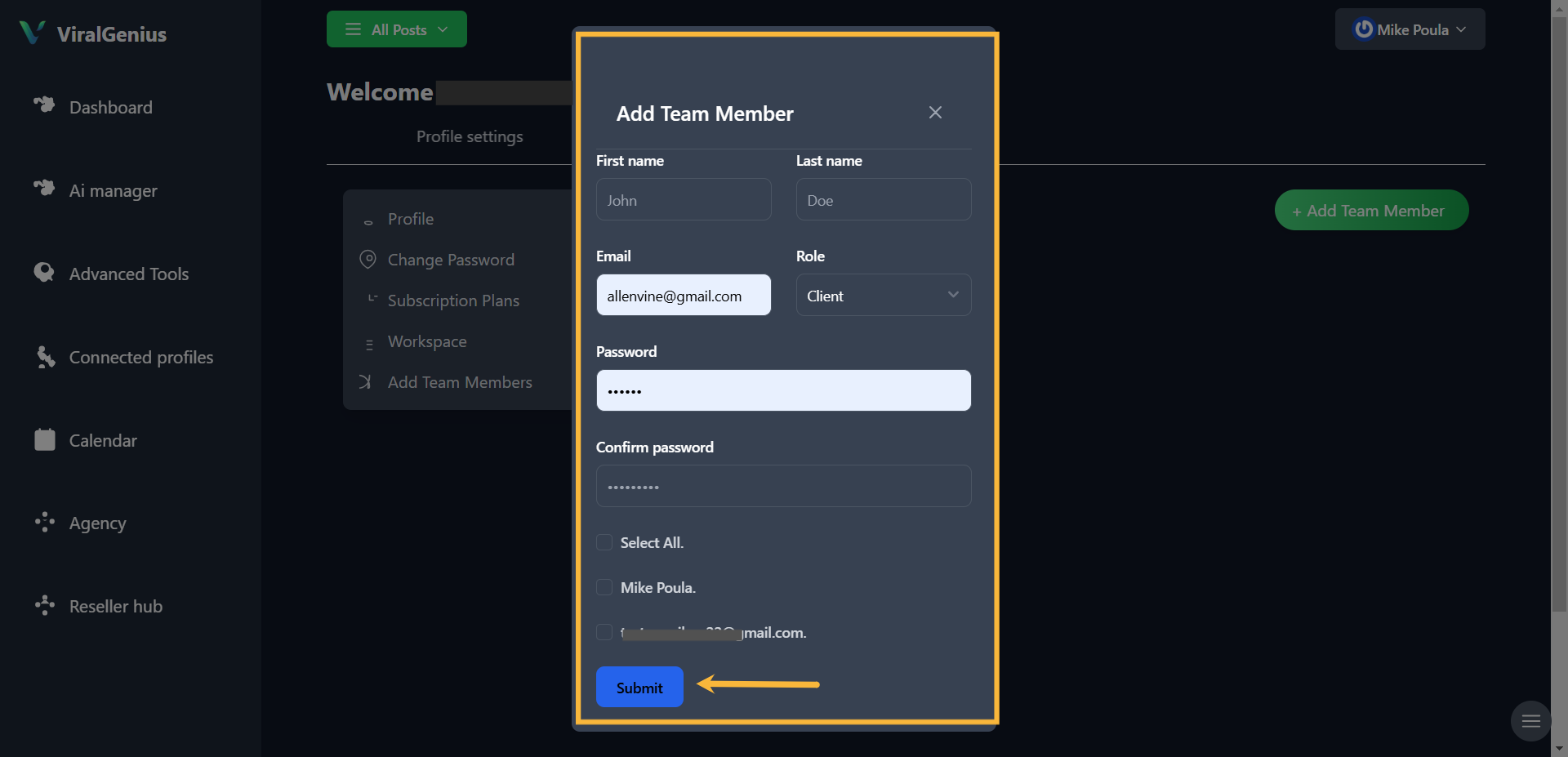
Step #3: Enter your team member details and password, then click on Submit
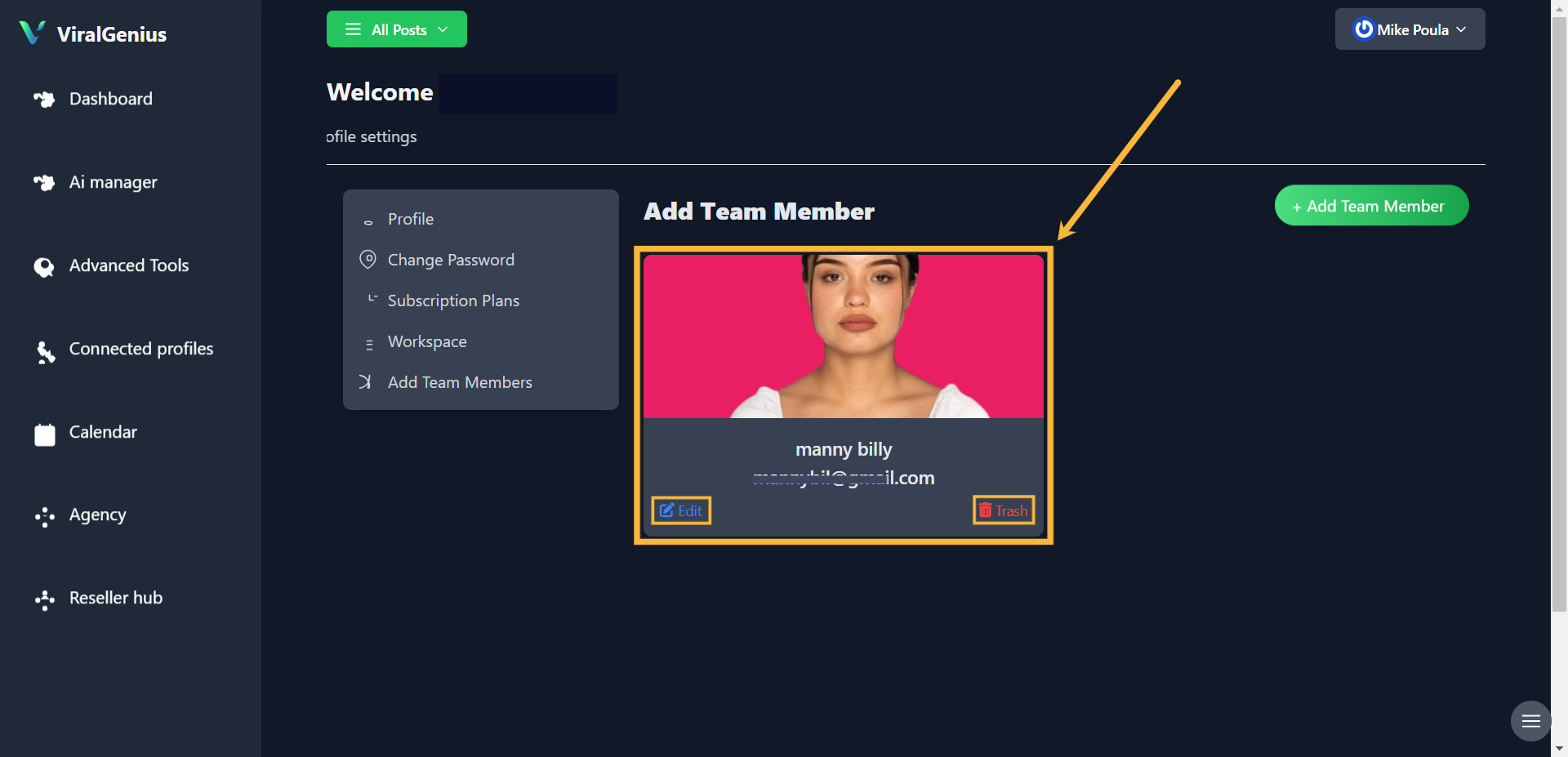
And here you have successfully added a team member to a workspace, you can edit or delete anytime.
I hope this was helpful