In this tutorial, I’ll take you through how to create content for your Blog
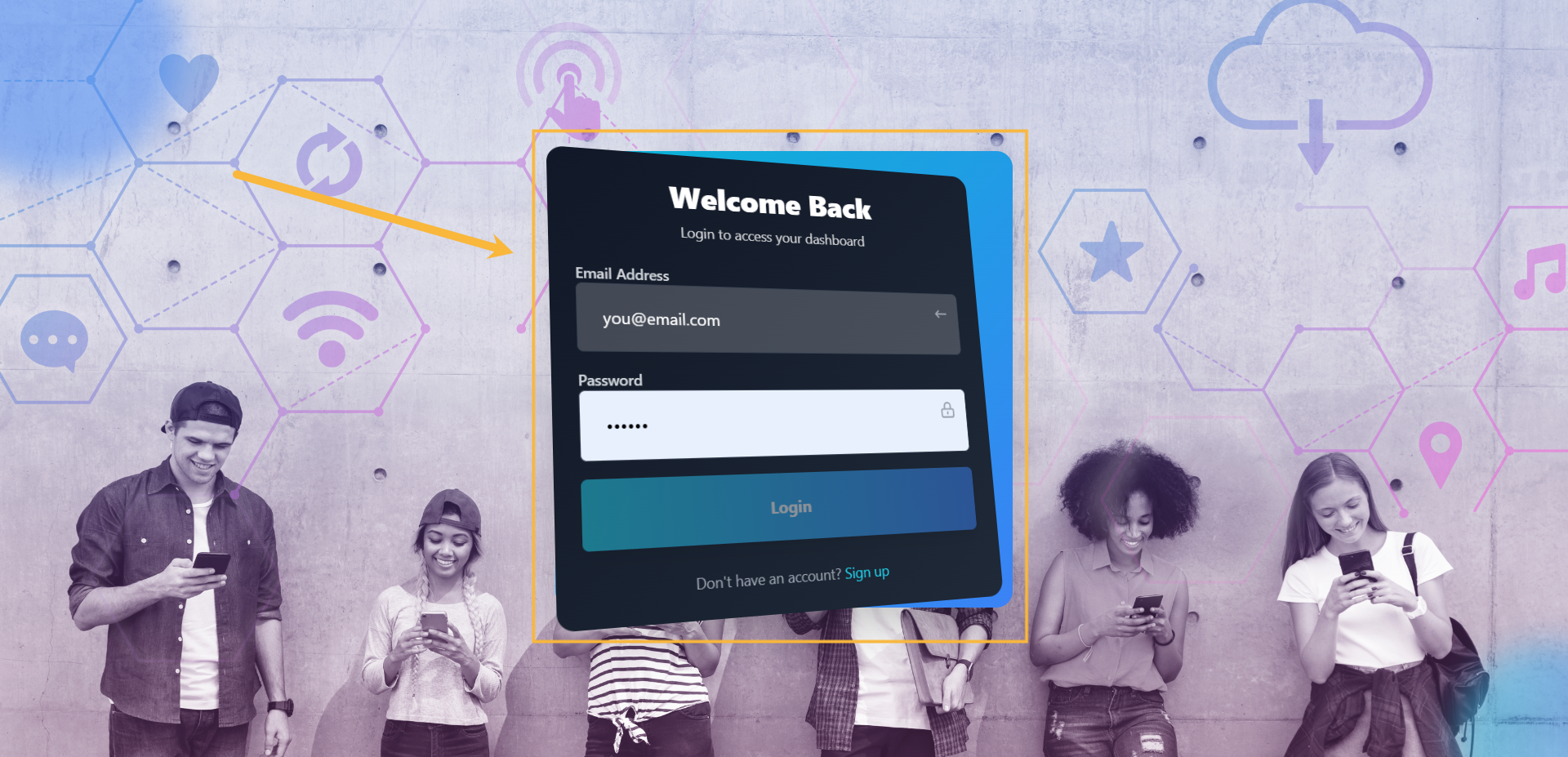
Step #1: Login to your account
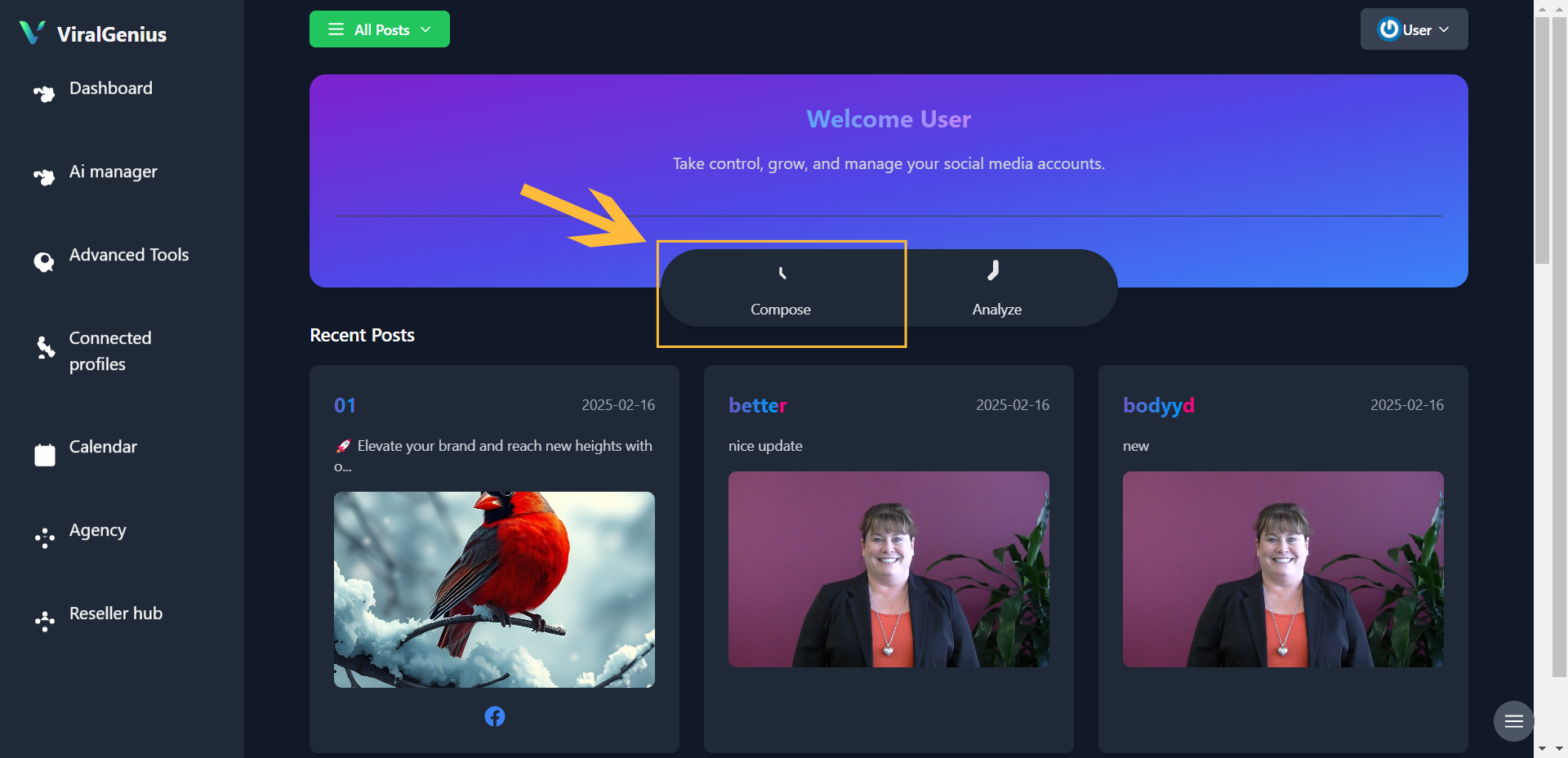
Step 2#: In your dashboard, click on compose
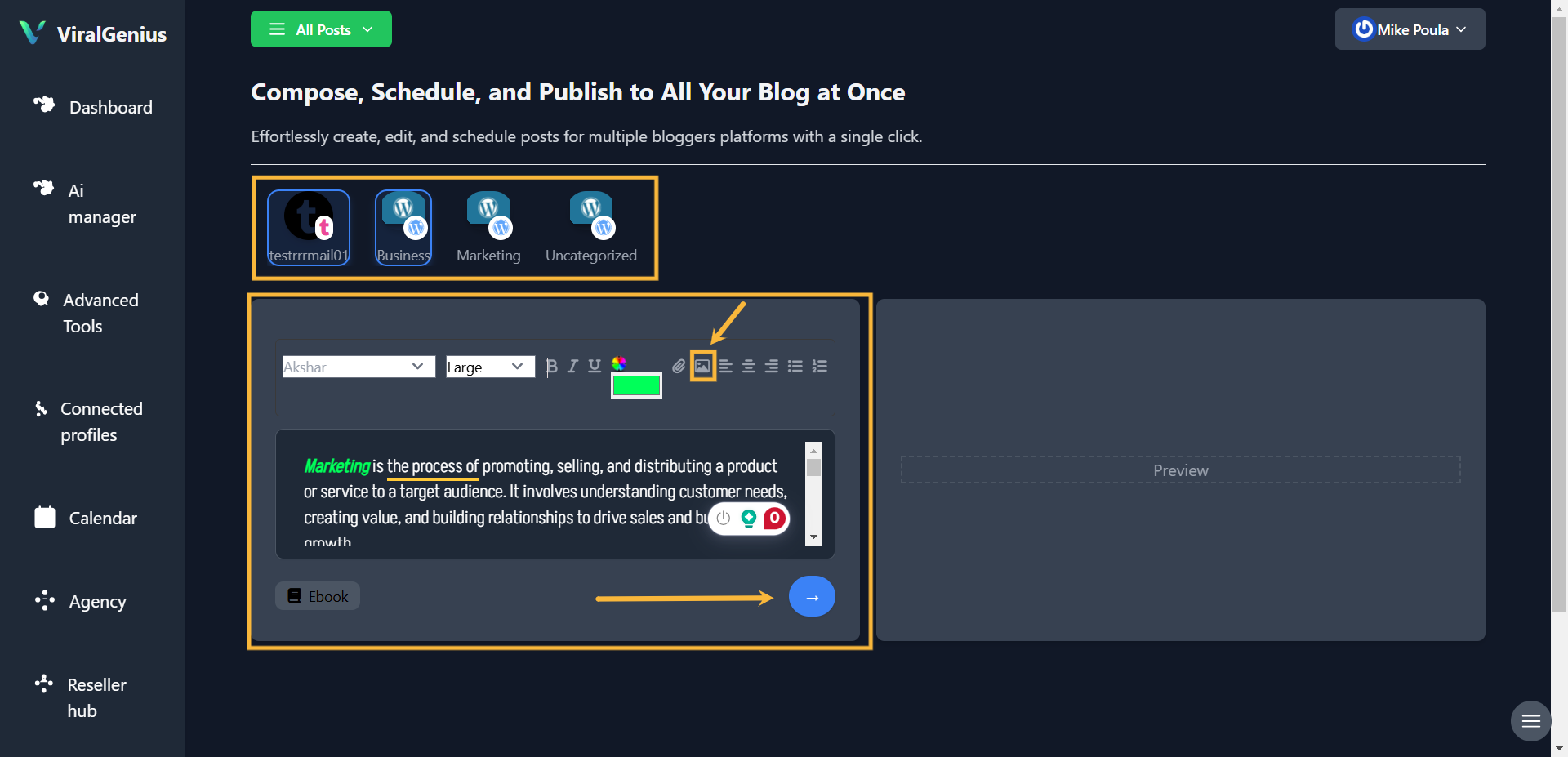
Step #3: Select the Blog account you want to publish your content to

Step #4: Here you are to Input your Content. You can type, copy, and paste or scrape the content from a pdf. There are other customization options to make your content look good, add images, and select the social media to which you want to publish your content.
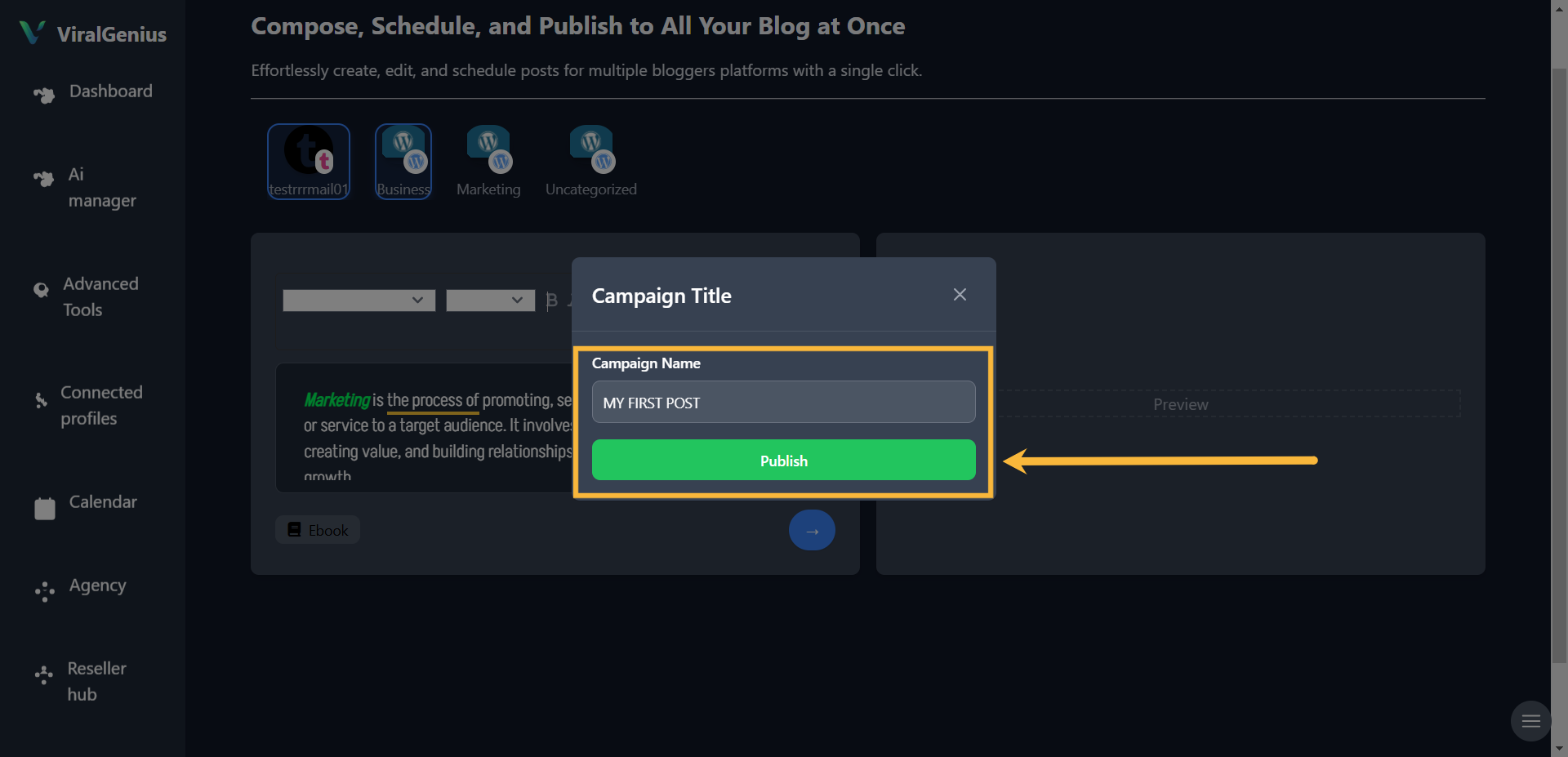
After that click on the Blue arrow button, and you’ll see options to Choose whether to save it as a draft, schedule it for later, or post it immediately.

If you decide to Send it now – Enter the campaign name and click on Publish
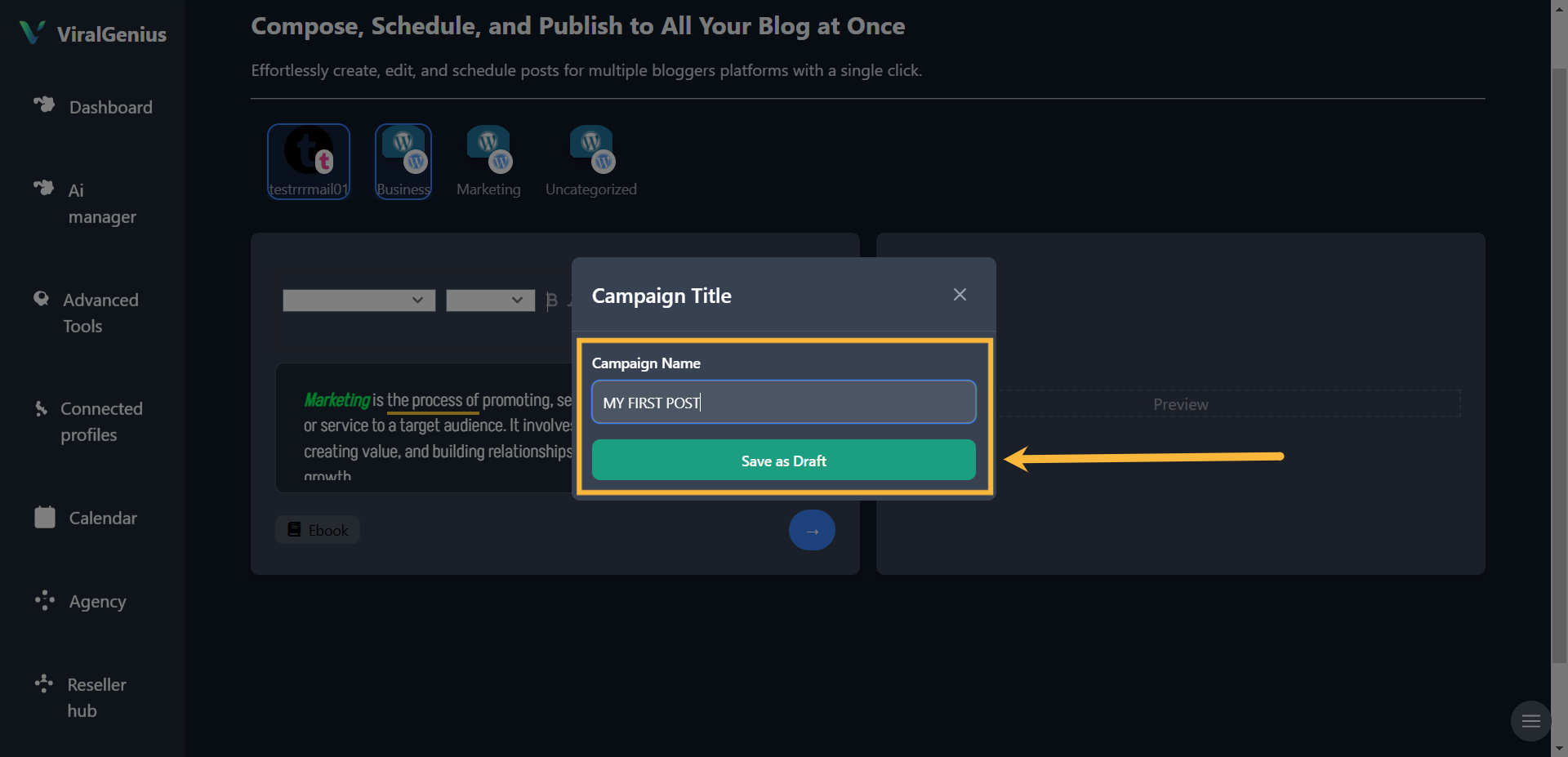
If you decide to Save as Drafts – Enter the campaign name and click on the Save button
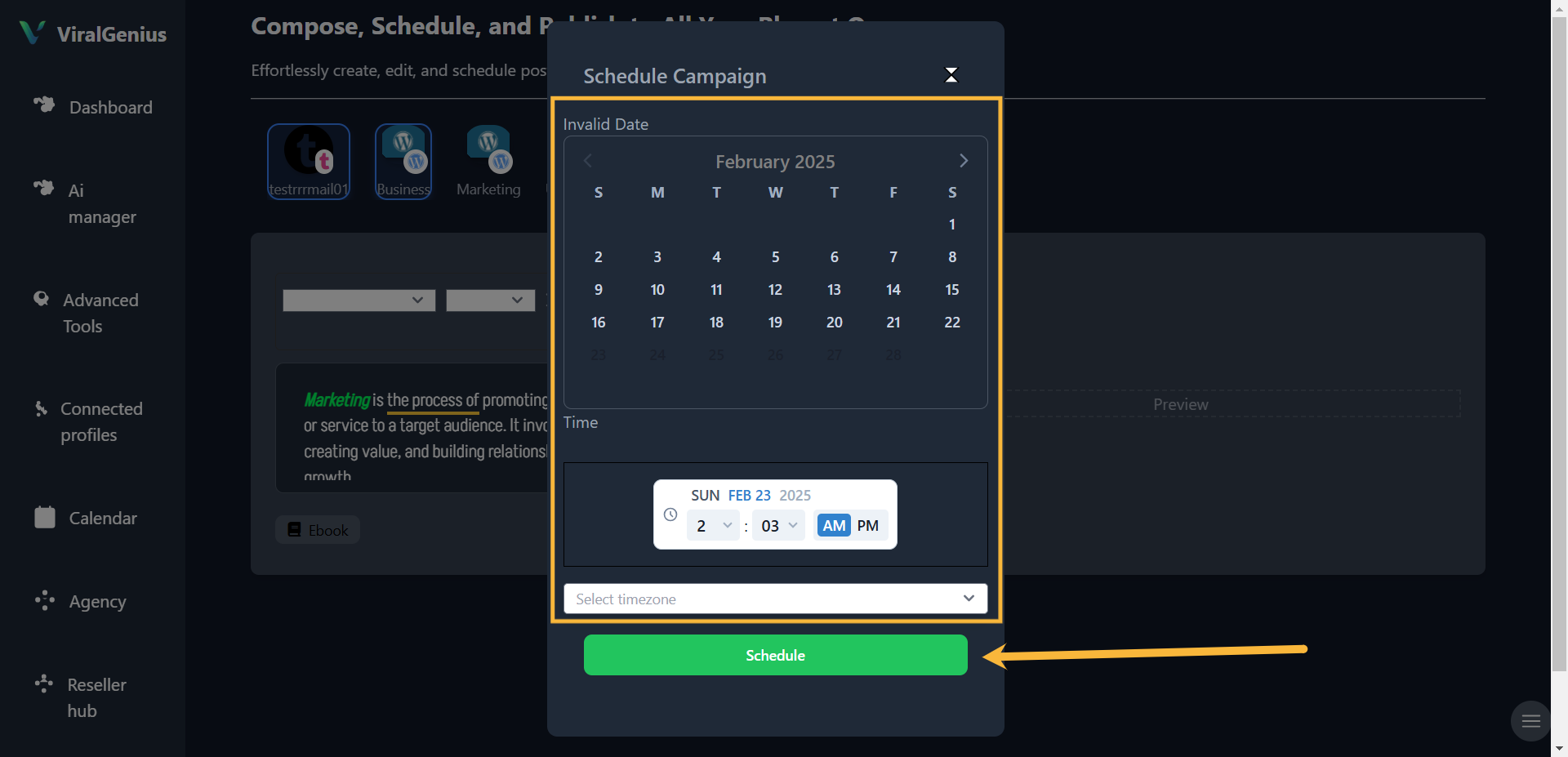
If you decide to Schedule for later – Enter the date and click on Schedule.
I hope this was helpful