In this tutorial, I’ll show you how to use the Remove MP4 background tool
Step#1: Log in to your account

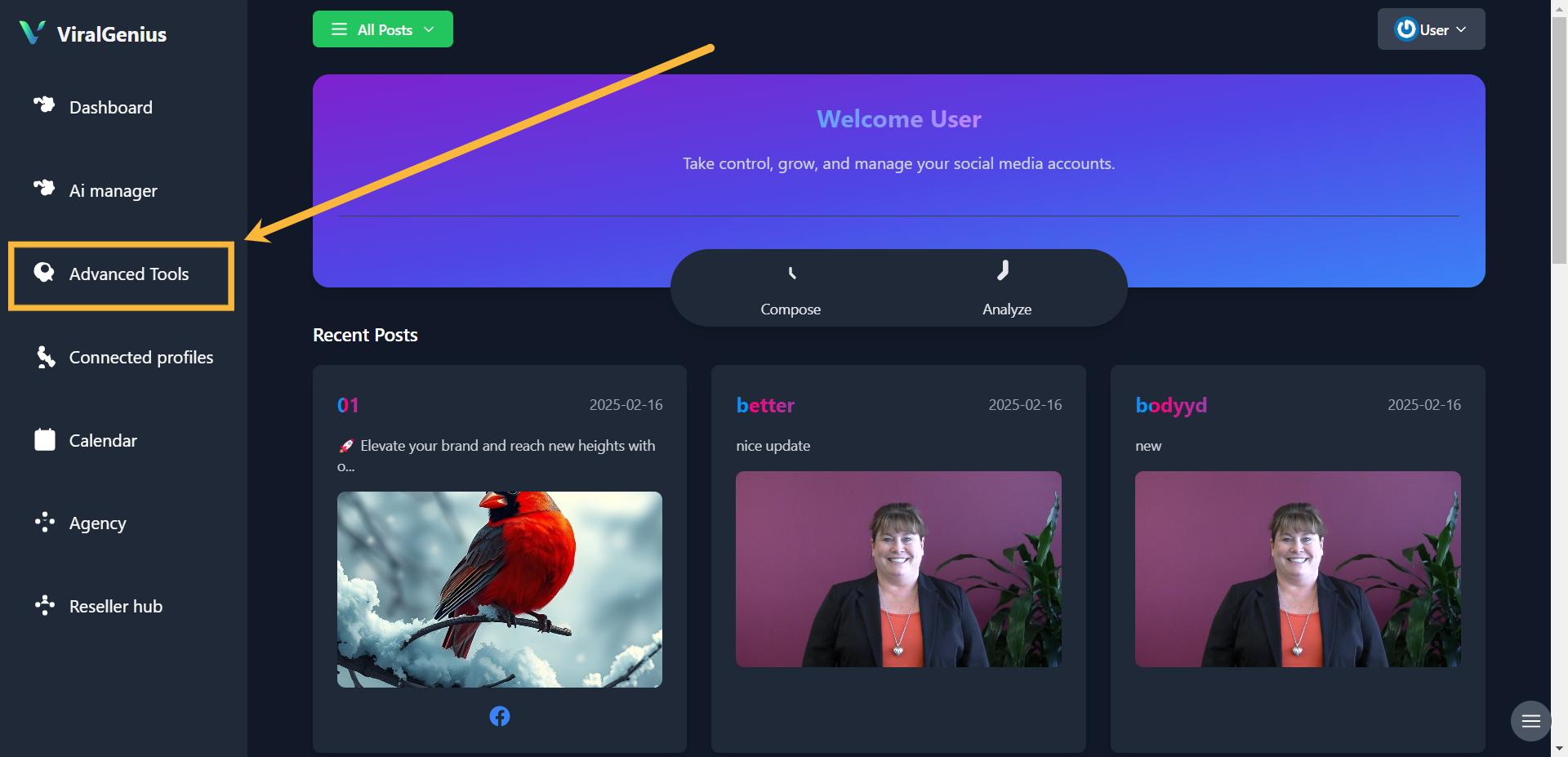
Step #2: Click on Advanced Tools
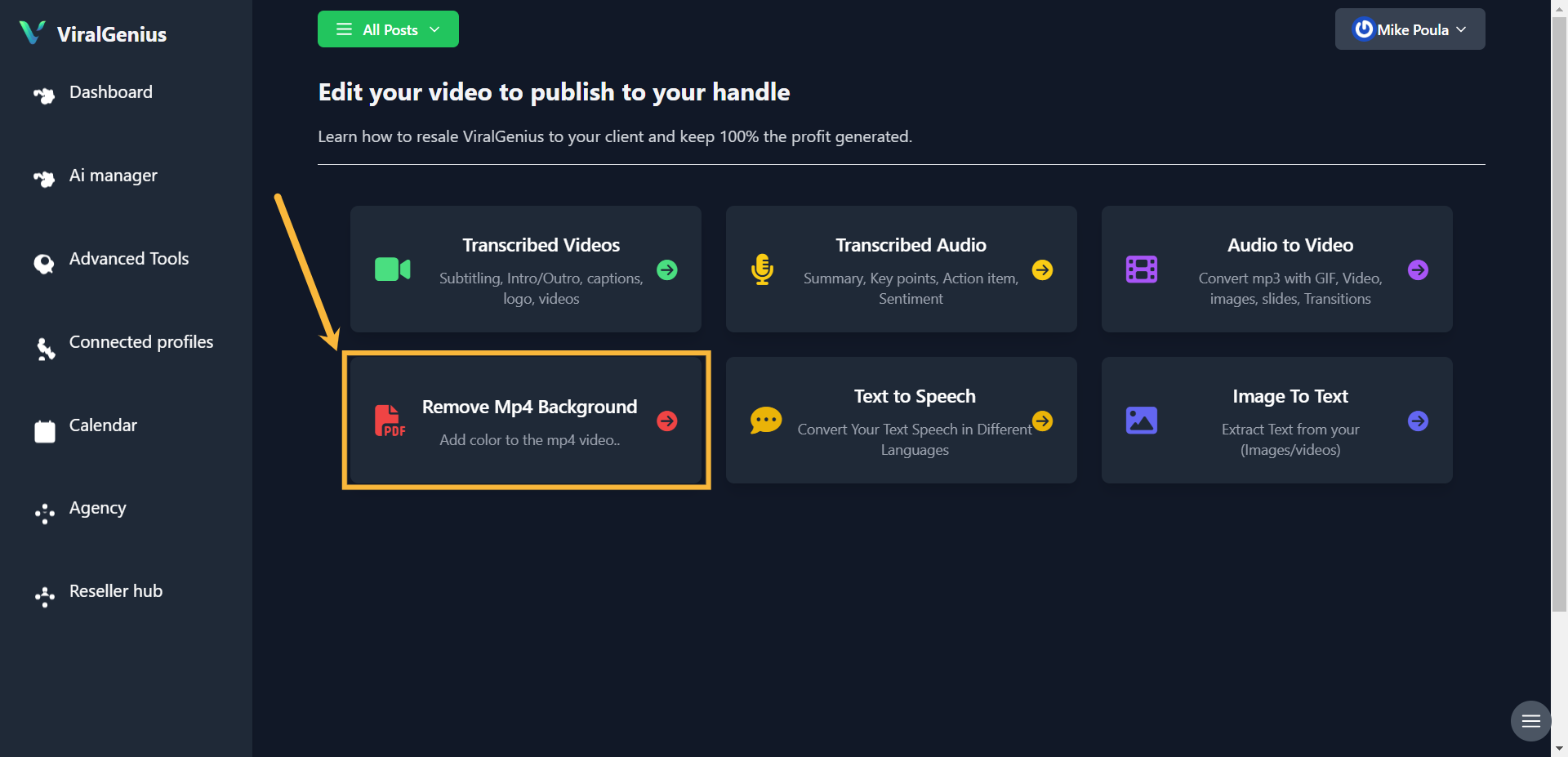
Step #3: Click on Remove Mp4 Background
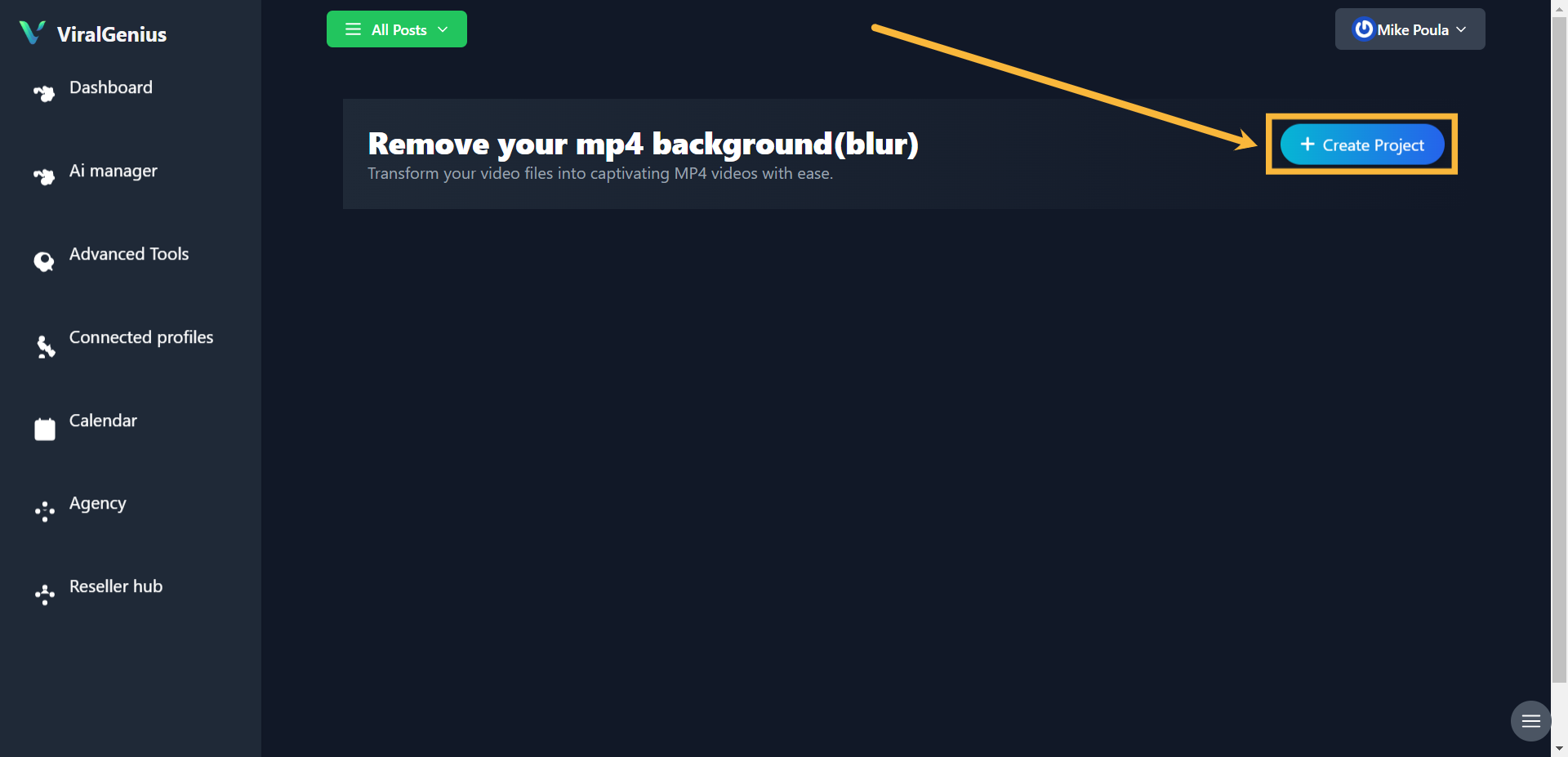
Step #4: Click on Create Project
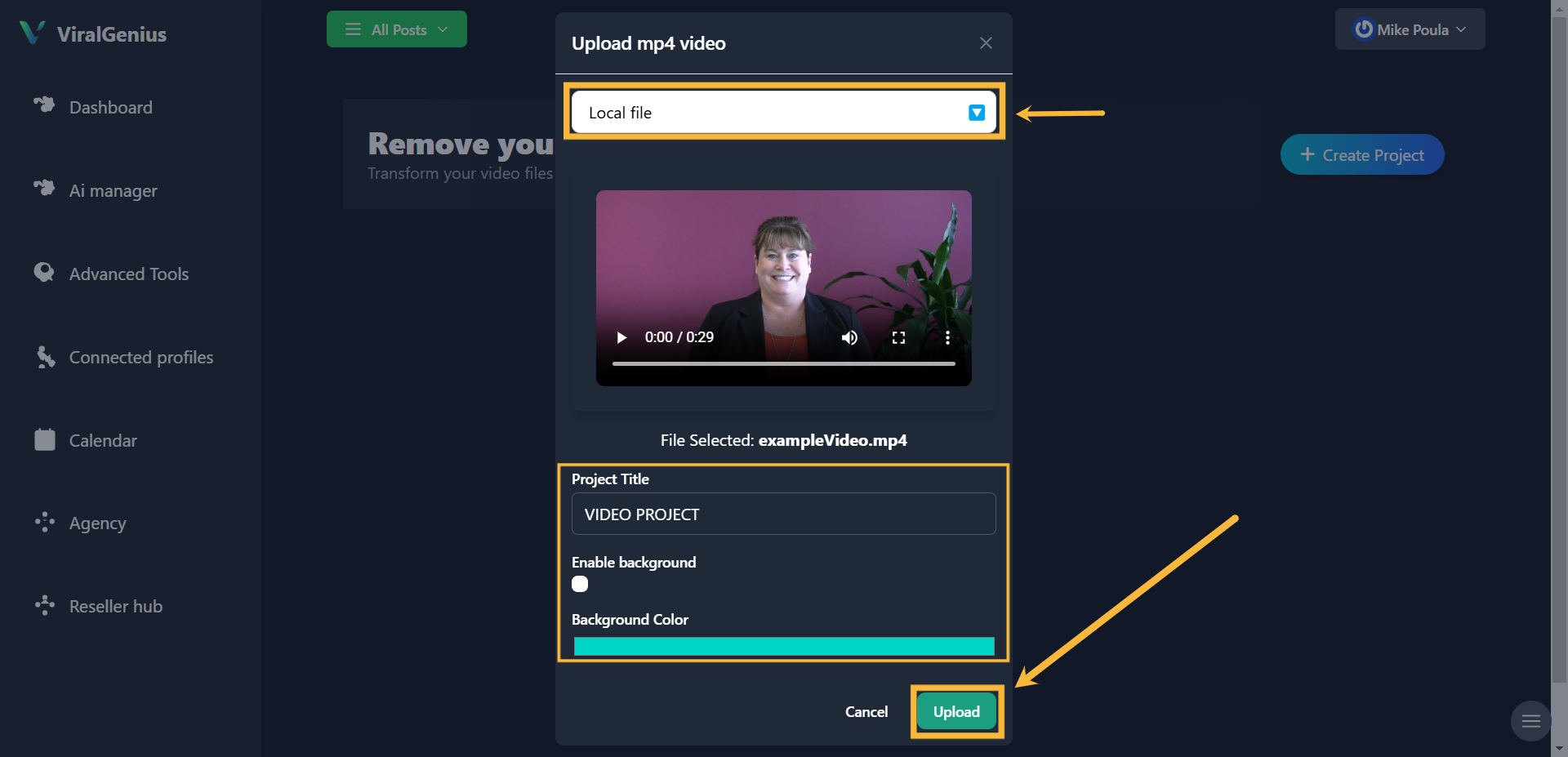
Step #5: Select your file type, upload your video, enter your project title, enable the background color, and select your preferred color. After that, click on Upload
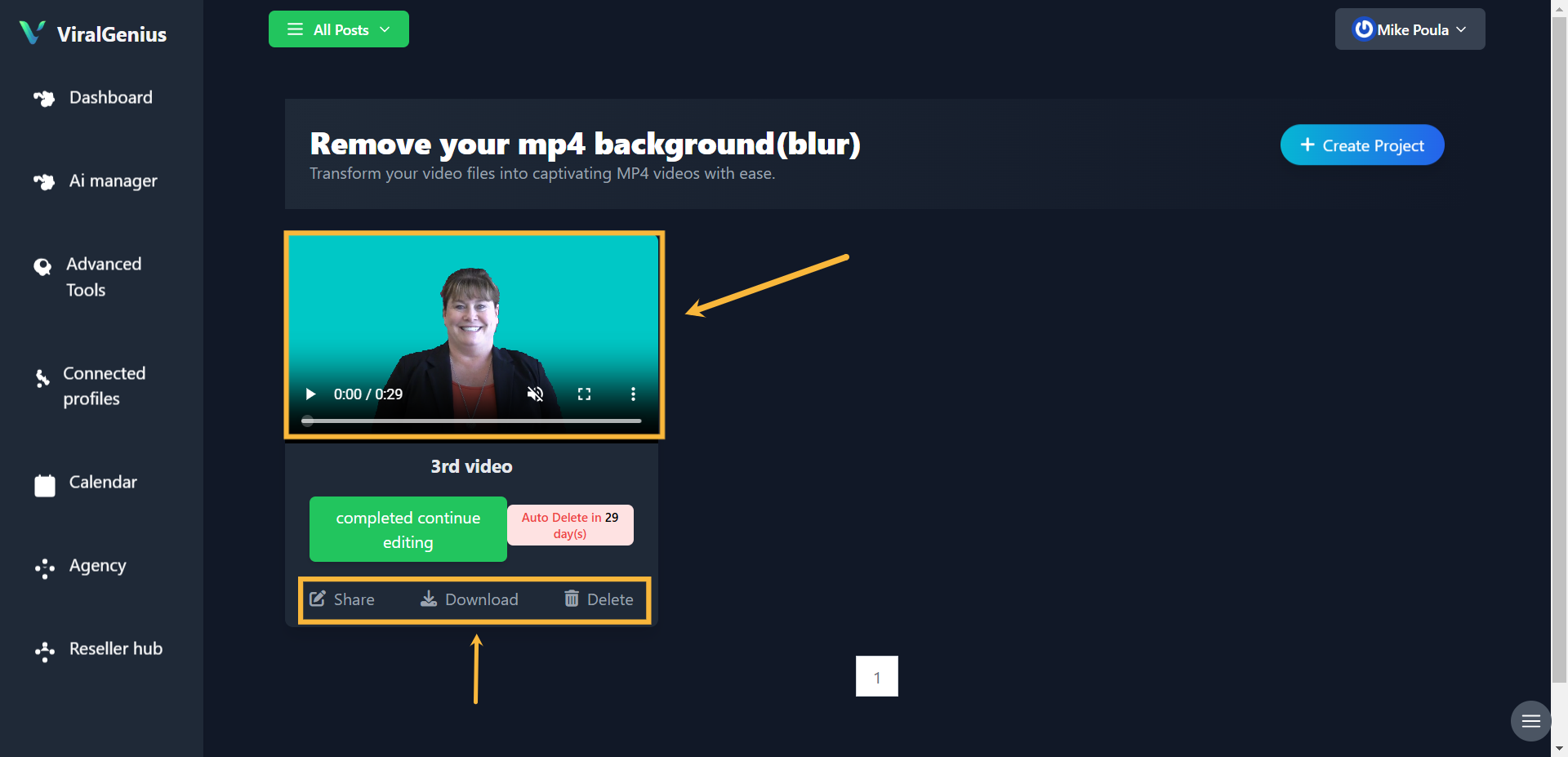
And in just a few minutes, your video background will be successfully changed, and you can share it directly to your social media platforms, download or delete the video.
I hope this was helful